VirtuaTilt Wiki › Xbox Drivers Installation (USB profiles, firmware older than v8.0.18)
Xbox Drivers Installation (USB profiles, firmware older than v8.0.18)
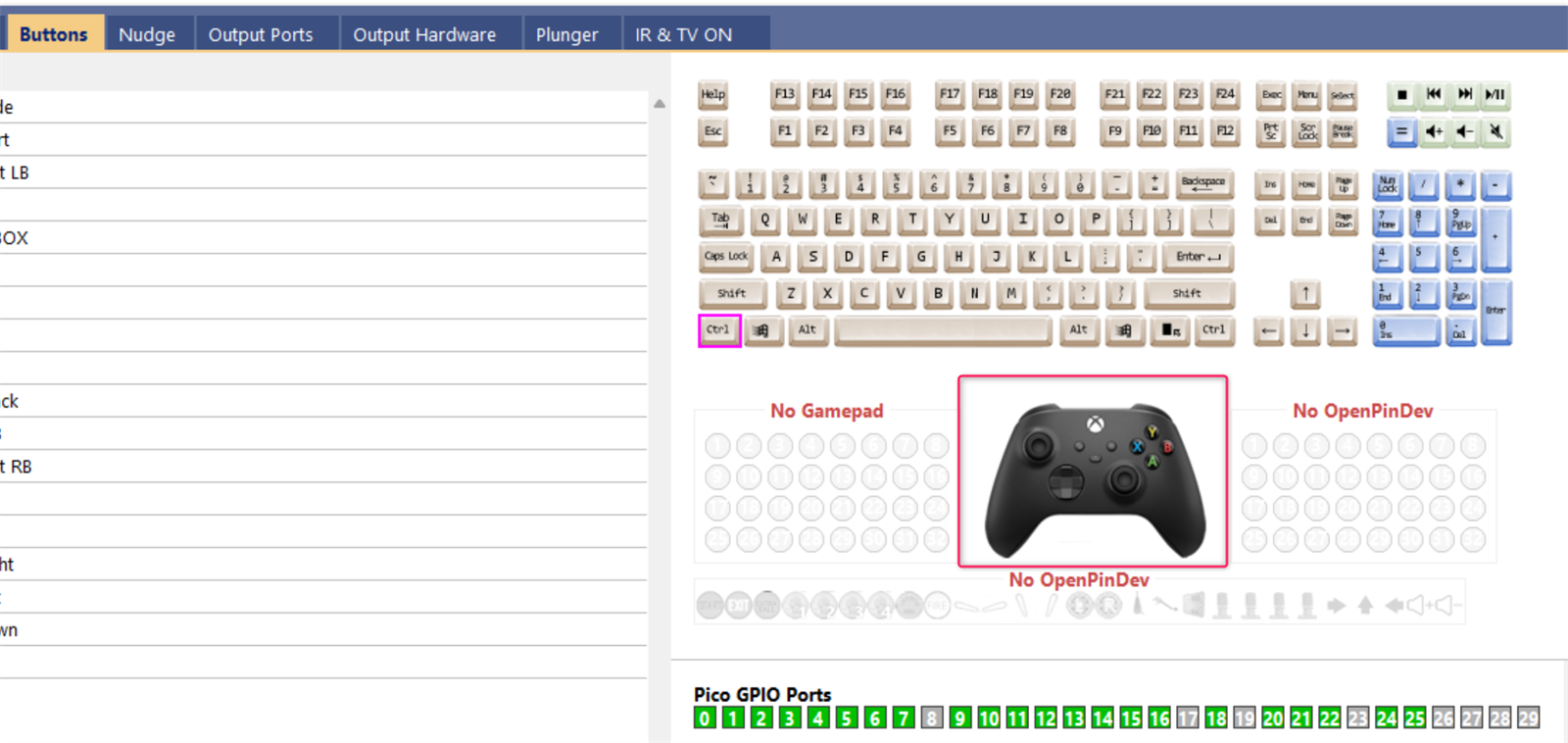
Firmware v8.0.18 and later: nothing to install. The first time you load a USB profile with Xbox controller emulation (STEAM-XInput, Pinball FX, Zaccaria Pinball, FX3 / Pinball FX + DOFLinx), Windows installs "Xbox 360 Controller for Windows" by itself. Check it in joy.cpl, or in GUIConfigTool → Buttons tab (the Xbox controller tab is active).
Older firmware: do the one-time procedure below. Windows needs a manual driver registration before the cabinet is fully recognised as an Xbox controller.
This chapter is for USB profiles only. Bluetooth profiles need no driver: the Bluetooth STEAM-XInput profile pairs as an Xbox Wireless Controller, which Windows recognises by itself.
- Load/import the X-Input profile in GUIConfigTool (VTConfig-USB-STEAM-XInput_v1.X.json).
- Save the new configuration to the Pico (Configuration → Program Pico) so the cabinet reboots with the new settings.
- Open Device Manager and find the "PinscapePicoXInput" device.
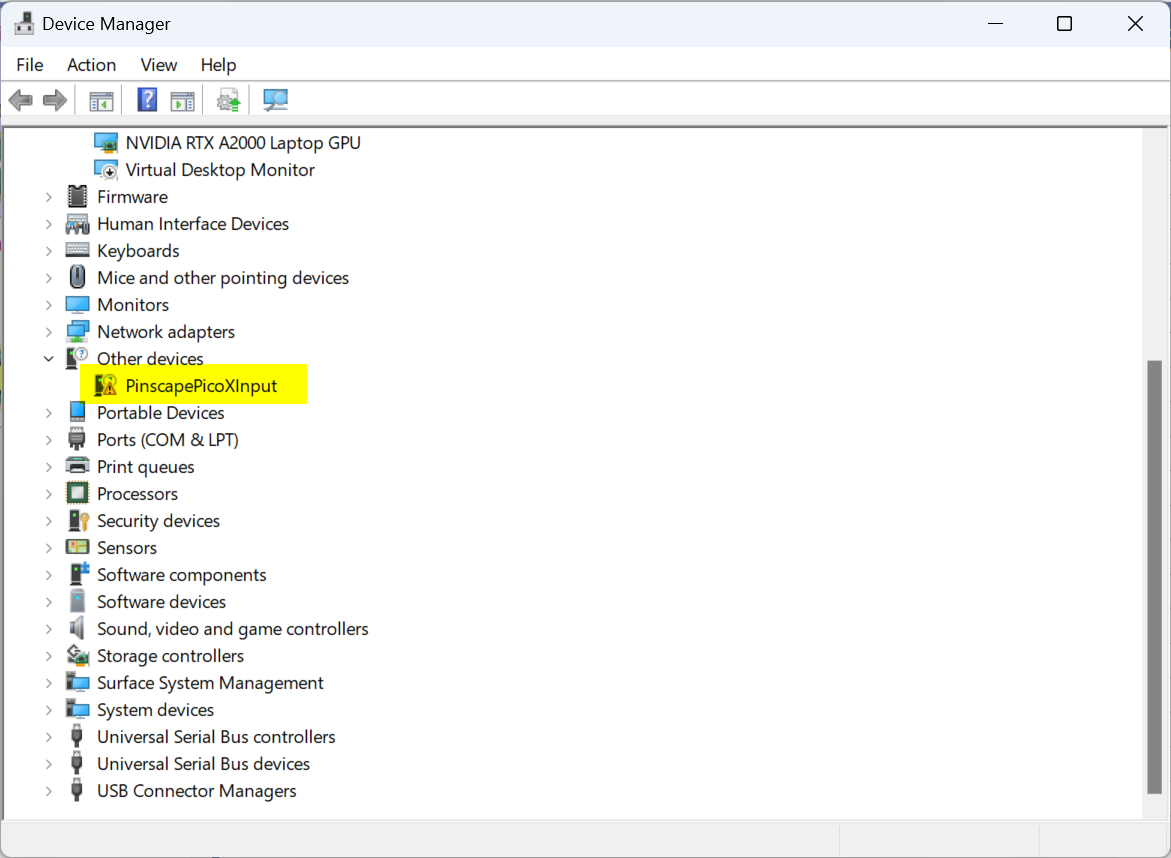
- Right-click it and choose "Update Driver".
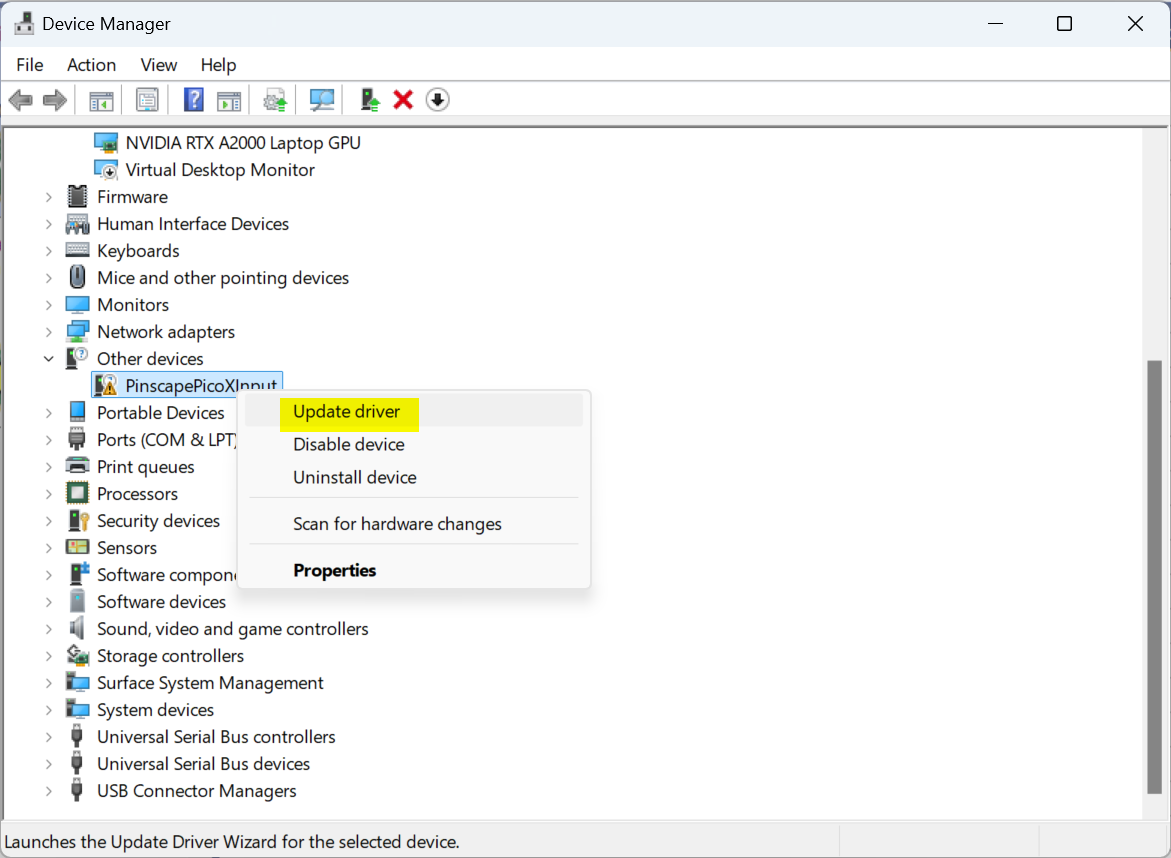
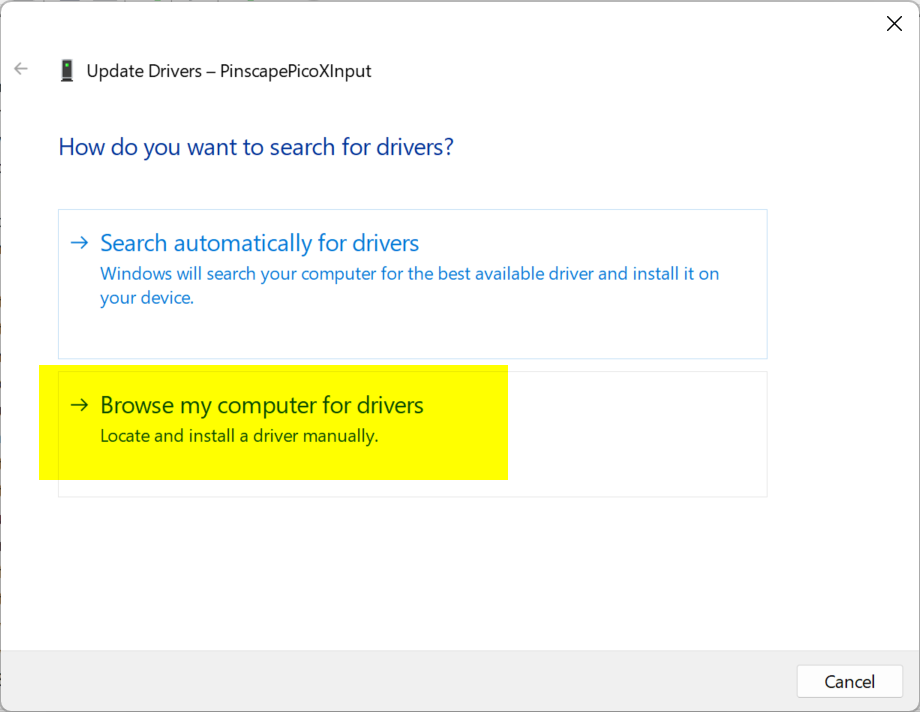
- Choose "Browse my computer for drivers".
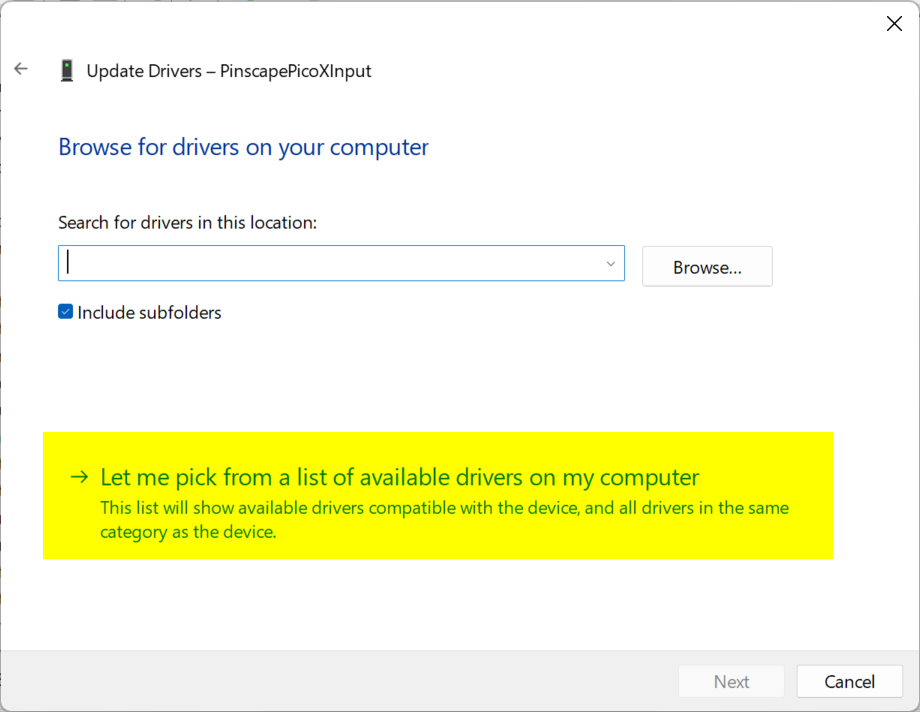
- Choose "Let me pick from a list of available drivers on my computer".
- Find the "Xbox 360 Peripherals" section and select "Xbox 360 Controller for Windows".
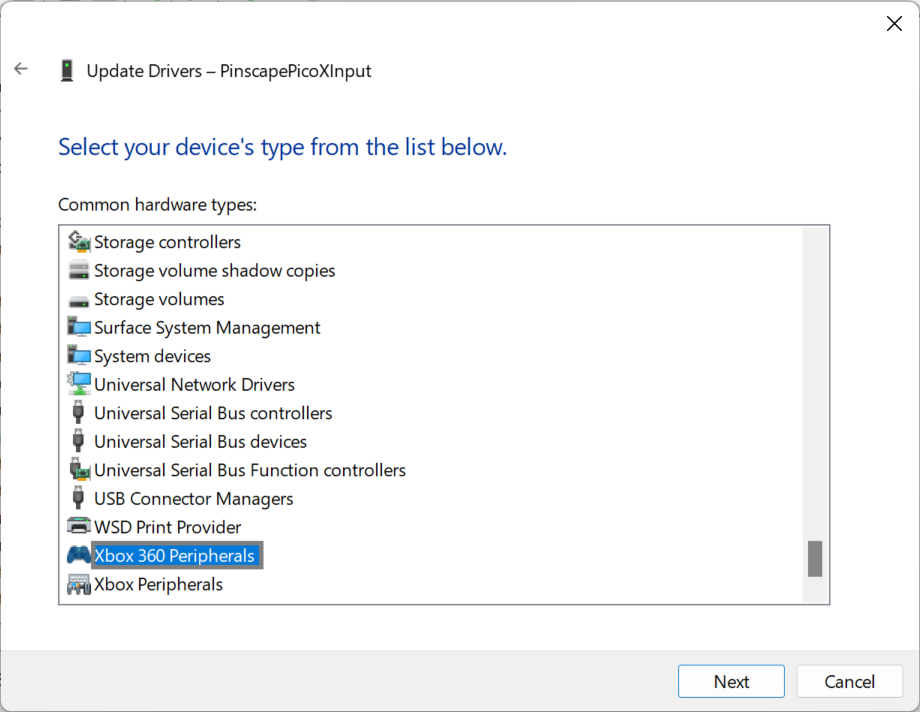
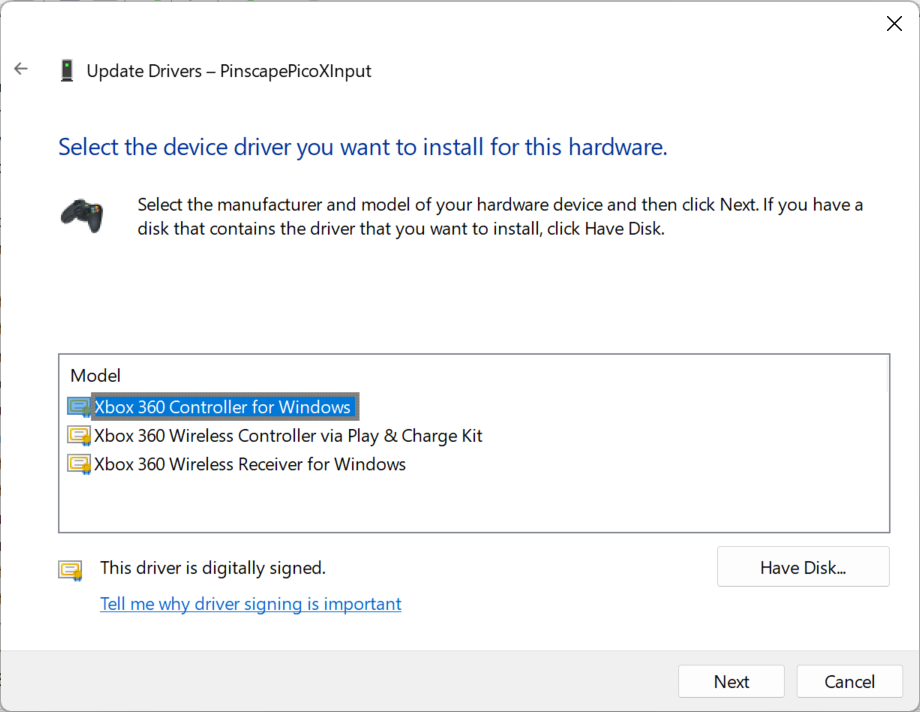
- Click through the warning (it appears because Windows can tell from the USB IDs that this is not an official Xbox device).
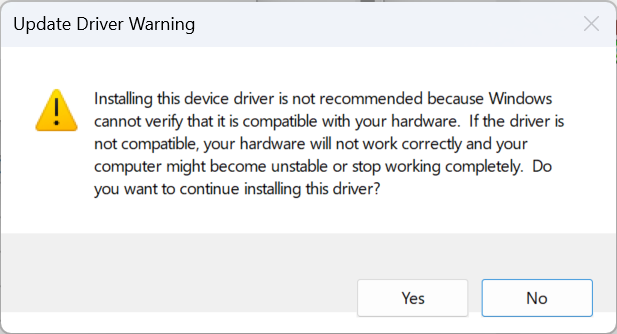
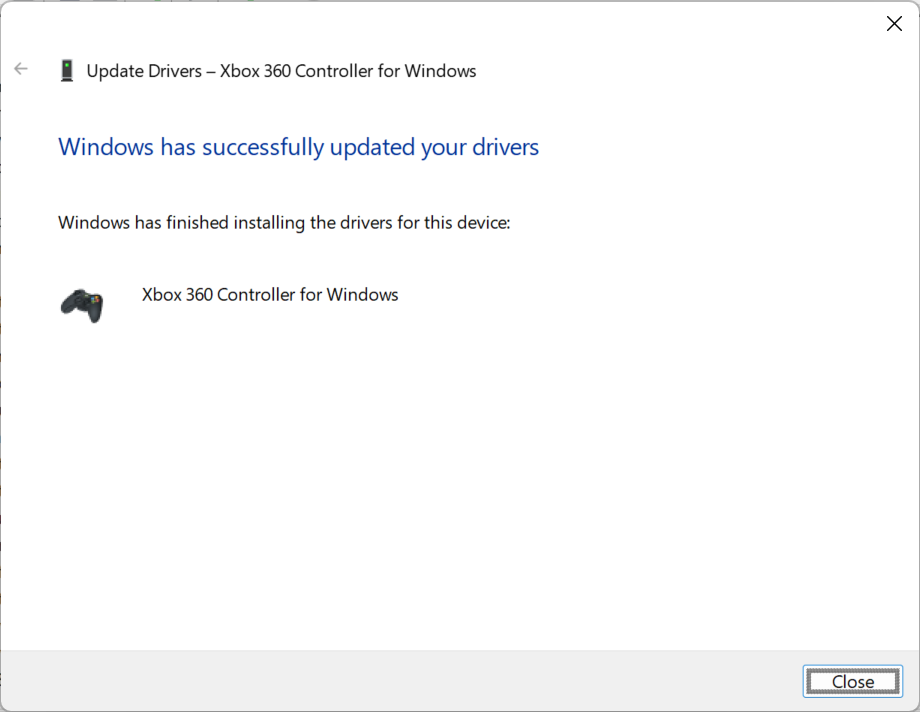
After the driver registration, GUIConfigTool → Buttons tab will show the Xbox controller tab as active (no longer greyed out).
NOTE: You only do this procedure once. The only reason you would repeat it is if you change the Pinscape configuration in a way that adds or removes USB interfaces — for example enabling or disabling the USB keyboard or gamepad emulation. To check, look in Device Manager: if you see a yellow warning icon on PinscapePicoXInput, repeat the steps above to clear it.
The interactive VirtuaTilt wiki adds a 3D model, a theme gallery and a built-in AI assistant — open the wiki.
Last updated: 2026-10-28
VirtuaTilt is designed and manufactured by 3DPTronics — see the Wireless VirtuaTilt controller. Diagnose your own cabinet with the free VirtuaTilt extension for Claude.