VirtuaTilt Wiki › Software Setup on Your Windows PC
Software Setup on Your Windows PC
Your Wireless VirtuaTilt is ready to play out of the box, so you do not need a PC to start. You only need a Windows PC when you want to change or add a profile, update the firmware, or (optionally) calibrate sensors — to do any of those, install the configuration software as described below.
Open the redist folder you received and locate the tools/GUIConfigTool/ directory. Inside, double-click GUIConfigTool.exe to start the configuration interface.
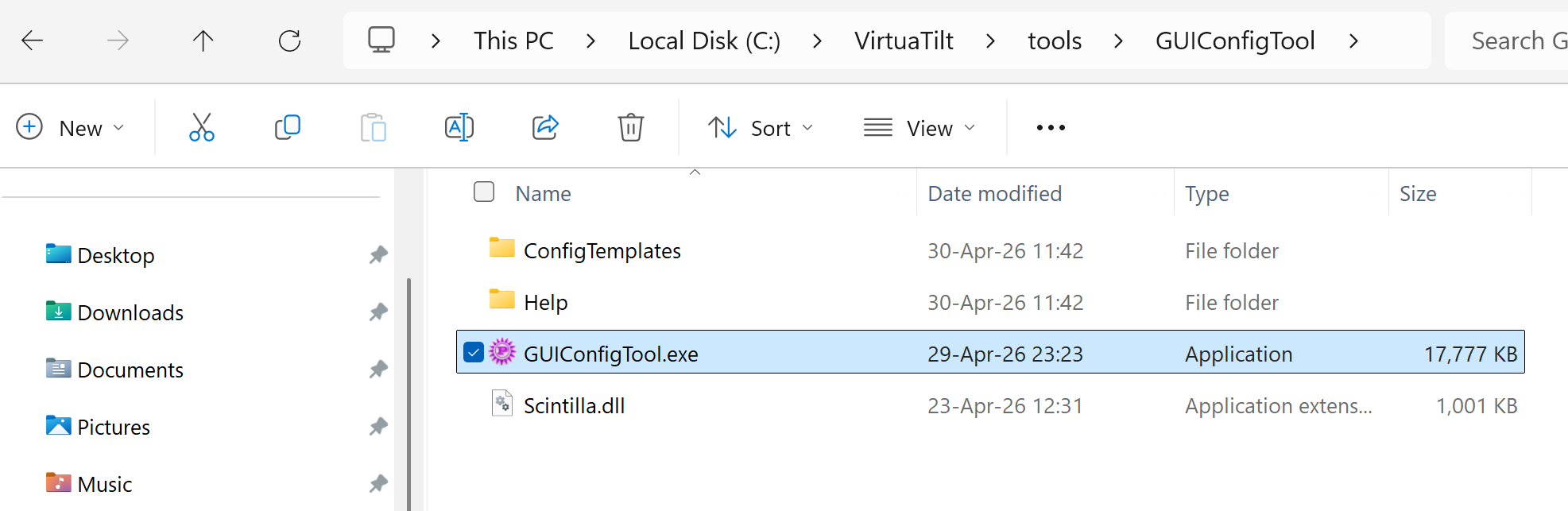
No installation is required — the application runs directly from the folder. The first time you run it, Windows might ask you to confirm execution because the tool is not signed; click "More info" → "Run anyway".
NOTE: You can keep the entire redist folder on your hard drive in any location you prefer. The GUIConfigTool only needs to be running while you set up profiles, calibrate sensors, or troubleshoot. Once your VirtuaTilt is configured, you can close it.
For additional details on Pinscape Pico ConfigTool: http://mjrnet.org/pinscape/PinscapePico/Help/ConfigTool.htm
The interactive VirtuaTilt wiki adds a 3D model, a theme gallery and a built-in AI assistant — open the wiki.
Last updated: 2026-10-28
VirtuaTilt is designed and manufactured by 3DPTronics — see the Wireless VirtuaTilt controller. Diagnose your own cabinet with the free VirtuaTilt extension for Claude.