VirtuaTilt Wiki › Pairing Your VirtuaTilt with a Windows PC
Pairing Your VirtuaTilt with a Windows PC
After loading one of the PC-targeted profiles (STEAM-XInput, STEAM-Zaccaria, STEAM-DOFLinx, VPX-FuturePinball or VPX-FuturePinball-DOF), pair as follows:
Step 1 — Forget any previous pairing
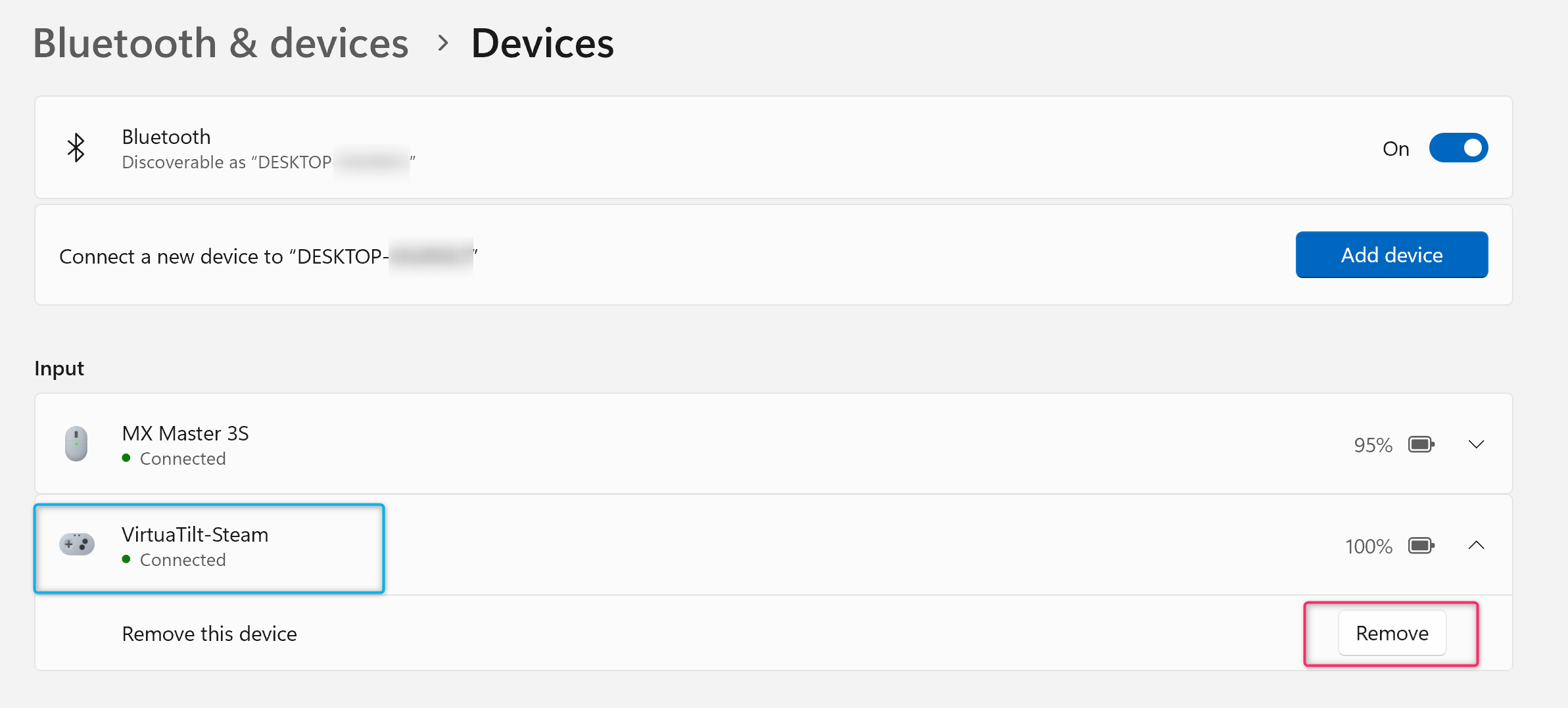
- Open Windows Settings → Bluetooth & devices.
- Find any prior "VirtuaTilt", "XA", "Xbox Wireless Controller" or similar entry from previous sessions and click "Remove device".
Step 2 — Pair fresh
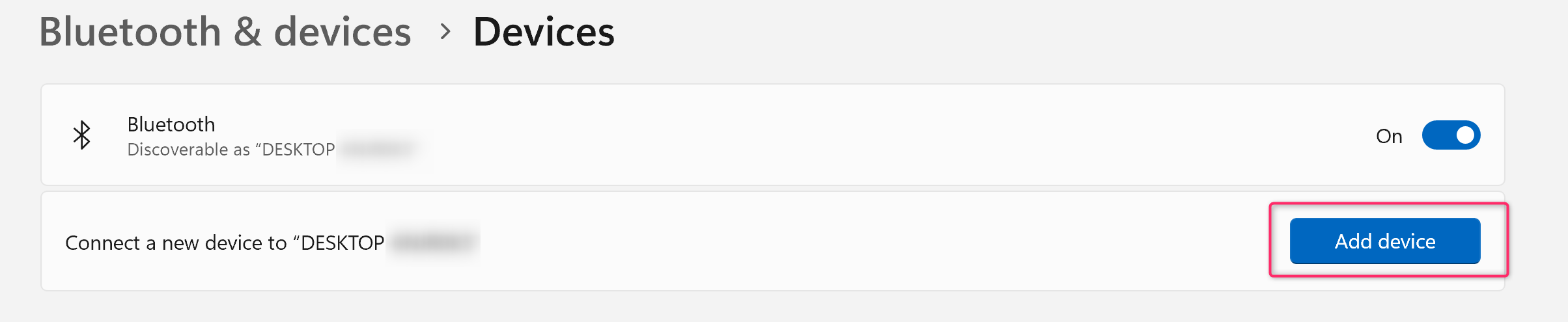
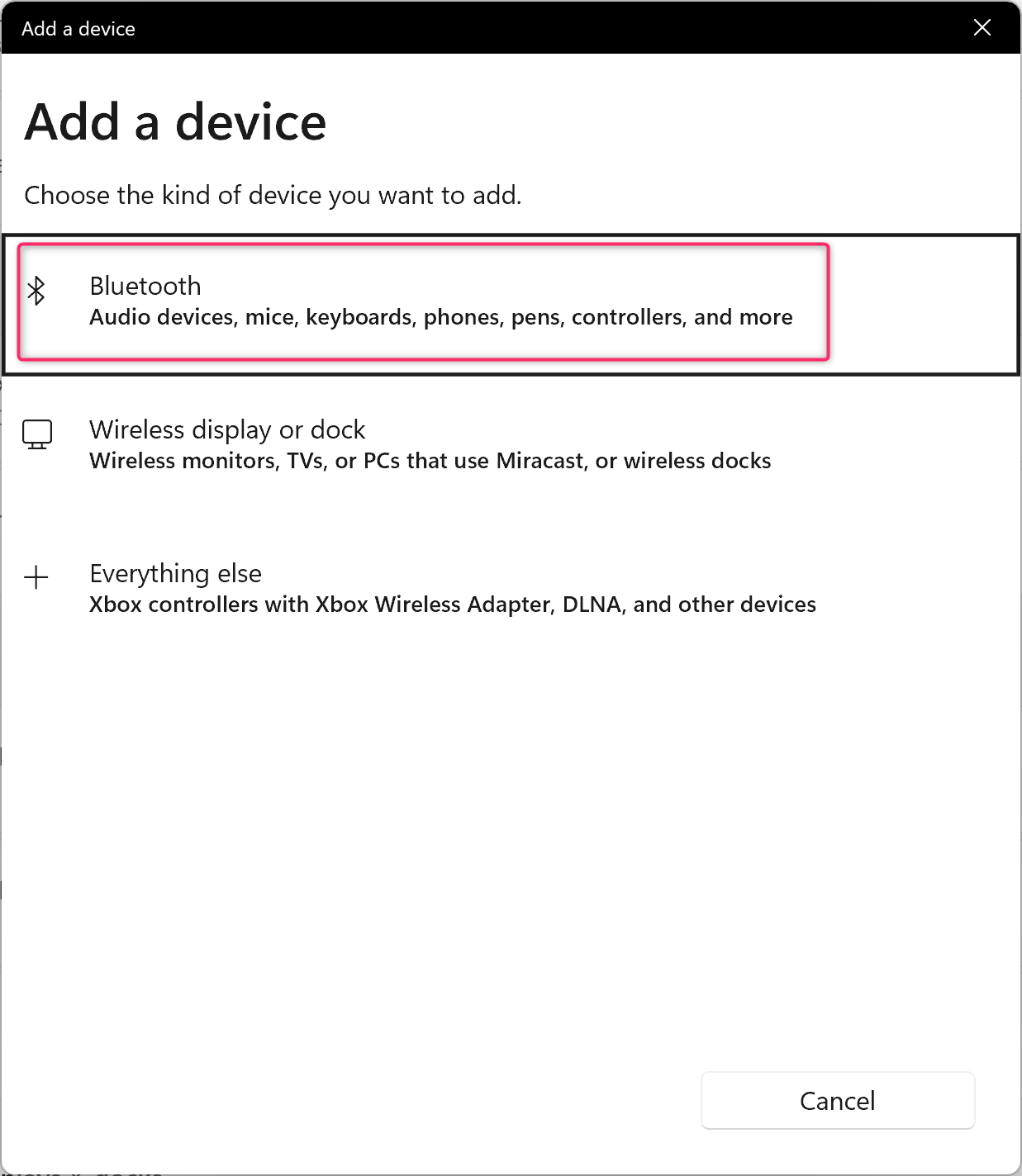
- Click "Add device" → "Bluetooth".
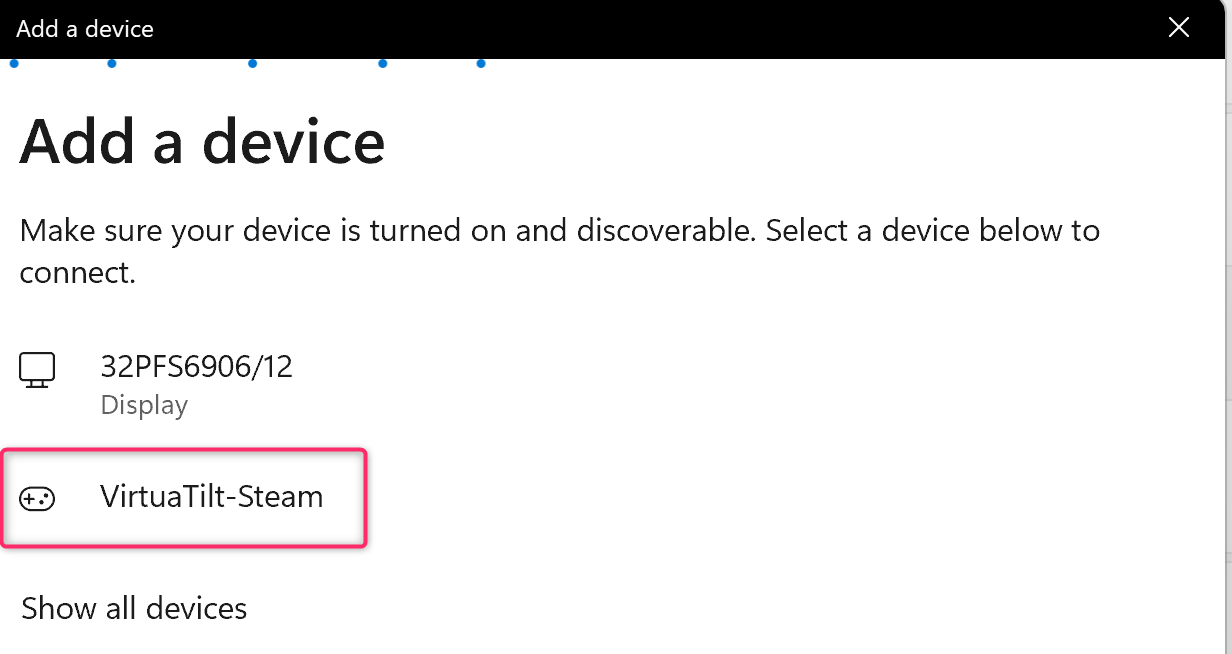
- Wait for the device to appear: "VirtuaTilt-Steam" for the STEAM-XInput, STEAM-Zaccaria and STEAM-DOFLinx profiles, "VirtuaTilt-PC" for VPX-FuturePinball and VPX-FuturePinball-DOF.
- Click the matching entry and confirm the pairing.
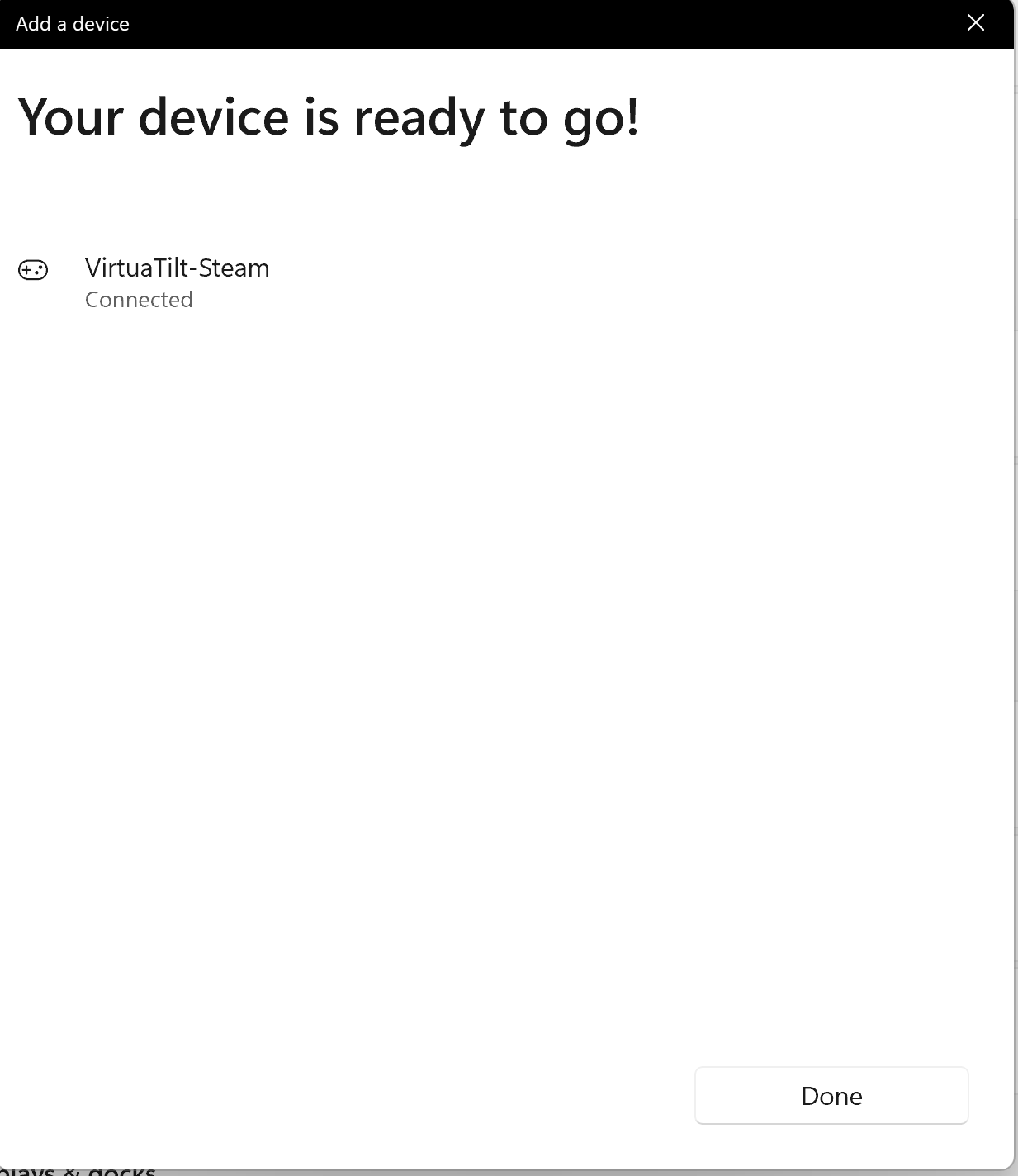
Step 3 — Verify
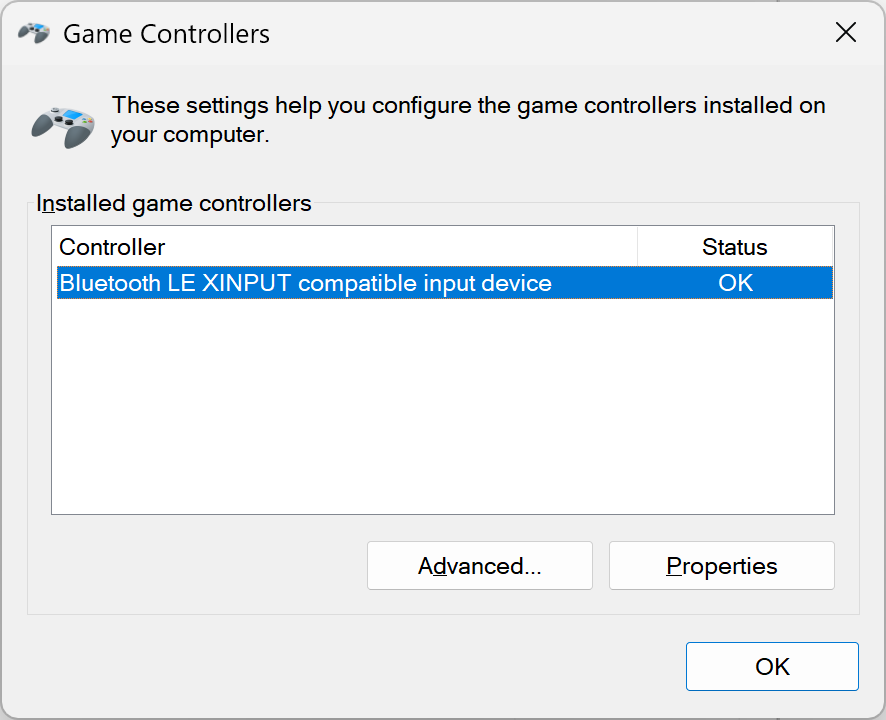
- Open Run (Win+R), type joy.cpl, press Enter. You should see your VirtuaTilt listed as a game controller.
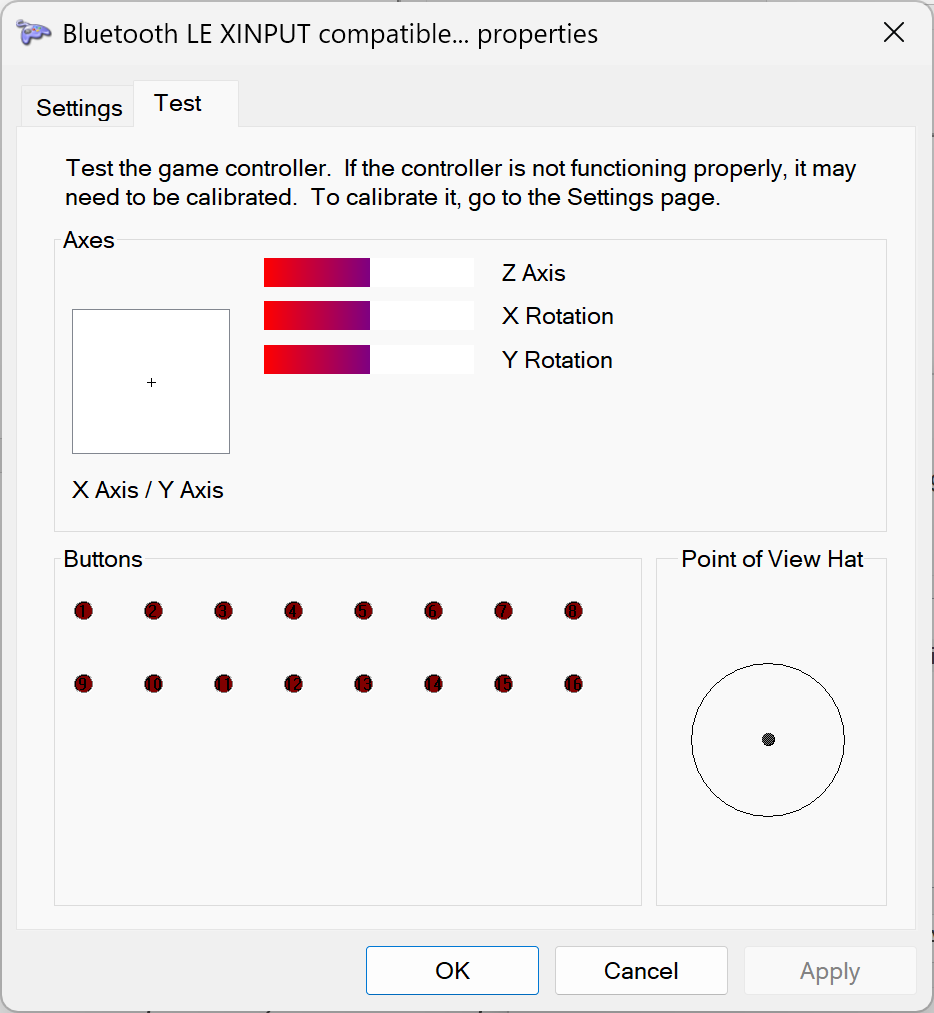
- Click "Properties" and try the buttons / sticks. Cabinet buttons should fire and analog axes (plunger, nudge) should respond.
NOTE: Bluetooth profiles need no driver step. The STEAM-XInput profile pairs as an Xbox Wireless Controller, which Windows recognises by itself. (The "Xbox Drivers Installation" chapter is for USB profiles only.)
NOTE: If your Meta Quest is also paired with the cabinet, switch its Bluetooth off while you pair the PC. Profiles of the same kind (for example XA and VirtuaTilt-PC, both keyboards) use the same Bluetooth address, so the Quest can reconnect first and keep the cabinet.
The interactive VirtuaTilt wiki adds a 3D model, a theme gallery and a built-in AI assistant — open the wiki.
Last updated: 2026-10-28
VirtuaTilt is designed and manufactured by 3DPTronics — see the Wireless VirtuaTilt controller. Diagnose your own cabinet with the free VirtuaTilt extension for Claude.