VirtuaTilt Wiki › Accelerometer Tuning
Accelerometer Tuning
Beyond the noise calibration above, the nudge feel can be fine-tuned on two independent sides:
- Pinscape Pico accelerometer parameters — the firmware exposes several nudge-tuning parameters: the DC blocker time constant, the X / Y / Z axis jitter windows, the velocity decay time, the velocity scaling factor, and the low-pass filter cutoff frequency. These are advanced settings and we do NOT document their individual behaviour here — to understand and adjust them, refer to the official Pinscape Pico documentation (linked below).
- In-game nudge sensitivity — set inside each pinball game (VPX, Pinball FX, etc.) with its own controls.
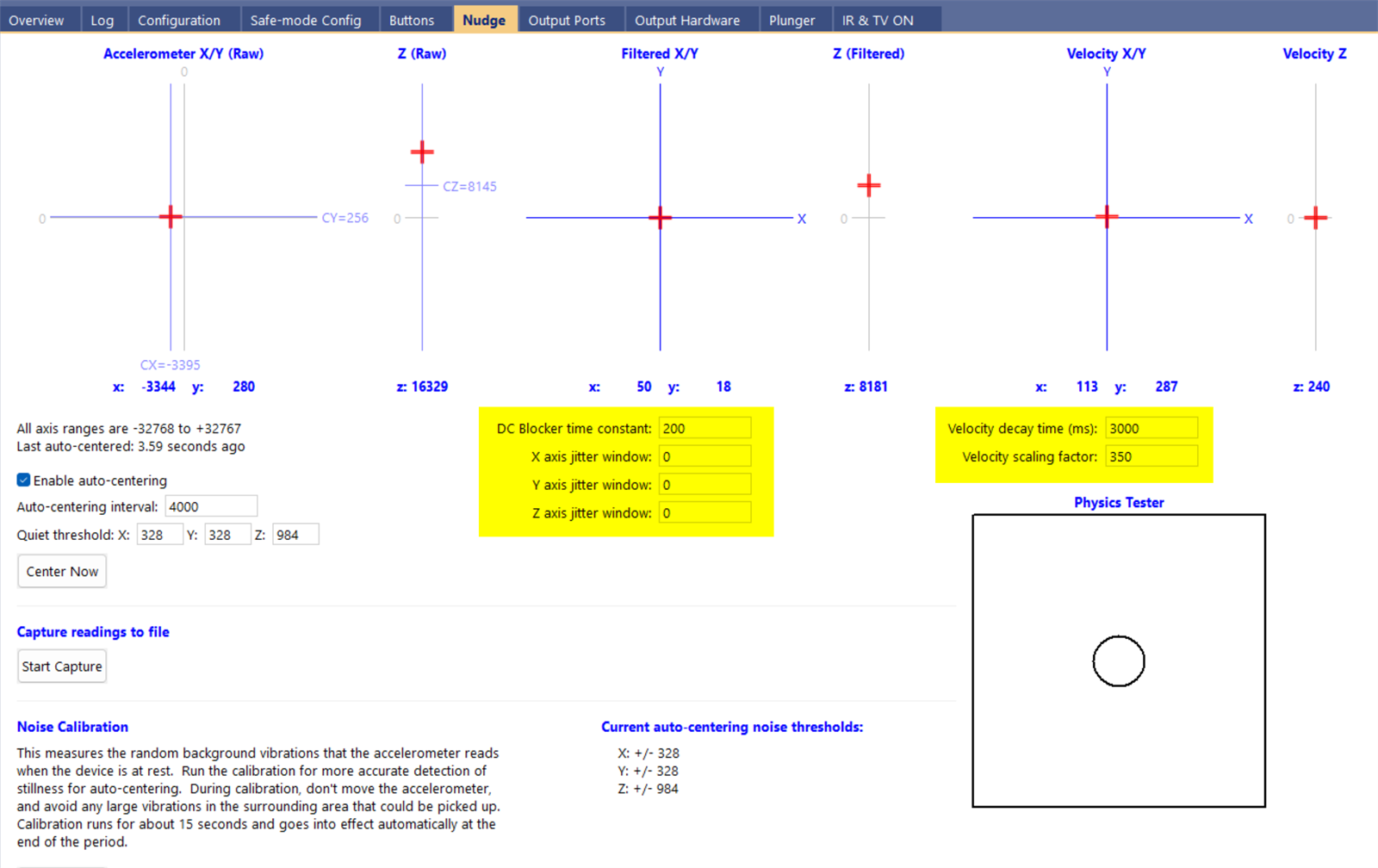
NOTE: Find your personal preference by tuning both sides together. Each cabinet has a slightly different feel because of mass, surface friction, and how rigidly the accelerometer is mounted.
If the shaker or the solenoids make the game register nudges or tilts, first lower the shaker strength (Adjusting Shaker Motor Strength) and the in-game nudge sensitivity. If that is not enough, try the Low-pass filter cutoff frequency in GUIConfigTool's Nudge window: it weakens fast vibrations and keeps real nudges, which are slow movements of the whole cabinet. 0 (the default) turns it off. Click Save Settings in the Nudge window to keep it. It is stored on the cabinet, not in the profile, so it stays the same whichever profile you load.
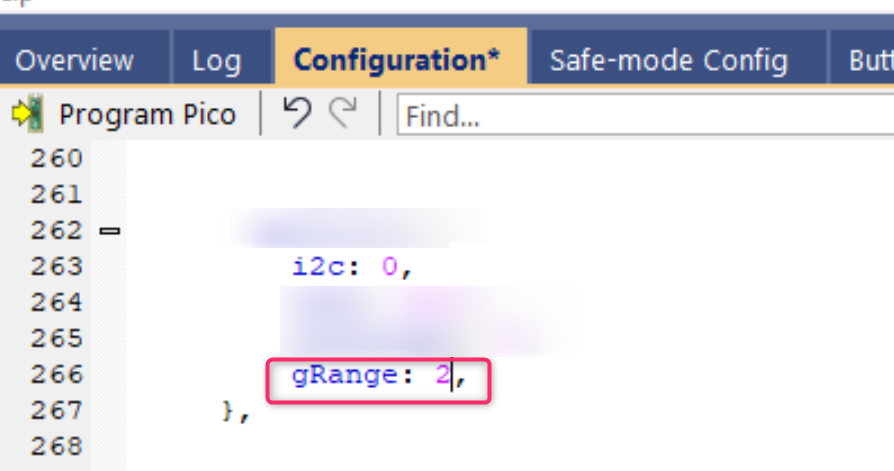
You can also increase accelerometer dynamic range. In the Configuration tab, find the mma8451q block and change gRange from 4 to 2 — this halves the maximum readable g-force but doubles the precision for small movements.
For these accelerometer / nudge parameters (DC blocker time constant, X/Y/Z axis jitter windows, velocity decay time, velocity scaling factor, low-pass filter cutoff frequency) and how to set them, refer to the official Pinscape Pico documentation: http://mjrnet.org/pinscape/PinscapePico/Help/NudgeWin.htm
The interactive VirtuaTilt wiki adds a 3D model, a theme gallery and a built-in AI assistant — open the wiki.
Last updated: 2026-10-28
VirtuaTilt is designed and manufactured by 3DPTronics — see the Wireless VirtuaTilt controller. Diagnose your own cabinet with the free VirtuaTilt extension for Claude.