VirtuaTilt Wiki › Profile-Identity LED
Profile-Identity LED
Your Wireless VirtuaTilt's central button has an 8-color profile-identity LED, tied to a boot-time profile selector. The active profile is chosen when the cabinet boots: hold down one of the 8 programmed buttons while the cabinet is booting, and the corresponding profile is loaded with the LED lit in that profile's assigned color (match it against the reference card below). If no button is held at boot, the default profile (the one set in the Configuration tab) is loaded and the LED stays off. An off LED is therefore normal — it simply means no button was held at boot, so the cabinet is running the default Configuration-tab profile. The 8 button-to-profile assignments are configured in GUIConfigTool → Profiles tab.
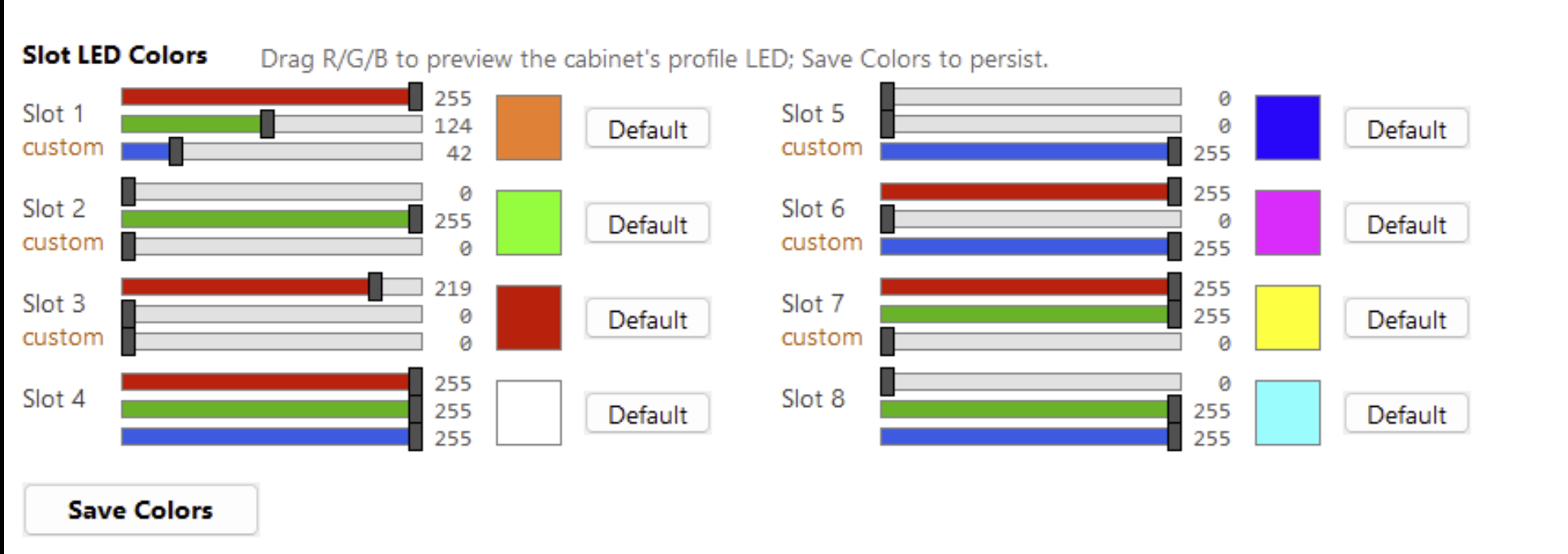
Each profile uses one of the LED's 8 color slots, and you can customize the color of each slot. In GUIConfigTool → Profiles tab there is a dedicated "Slot LED Colors" section with R/G/B sliders (0–255) for each of the 8 slots — drag them to preview the cabinet's LED live, press a slot's Default button to reset it, then click Save Colors to persist. So if you want a slot to show magenta (or any color), set its R/G/B there. The printed reference card shows the default color of each slot.
The Slot LED Colors section becomes active a few seconds after GUIConfigTool connects, once the cabinet has reported its current colours (until then it is greyed out and says why). After Save Colors, GUIConfigTool reads the colours back from the cabinet: Slot colors saved. confirms they are stored. If it reports Slot colors NOT confirmed, press Save Colors again.
The LED is configured in GUIConfigTool only — it is not controlled by DOF or DOFLinx (those drive the feedback devices: the flipper/knocker solenoids and the shaker motor), and game software does not change it on the fly.
A printable card with the slot buttons, their LED colours and the preloaded games is available from this wiki: download VirtuaTilt-Preloaded-Profiles-Card.pdf, print it and keep it next to your cabinet.
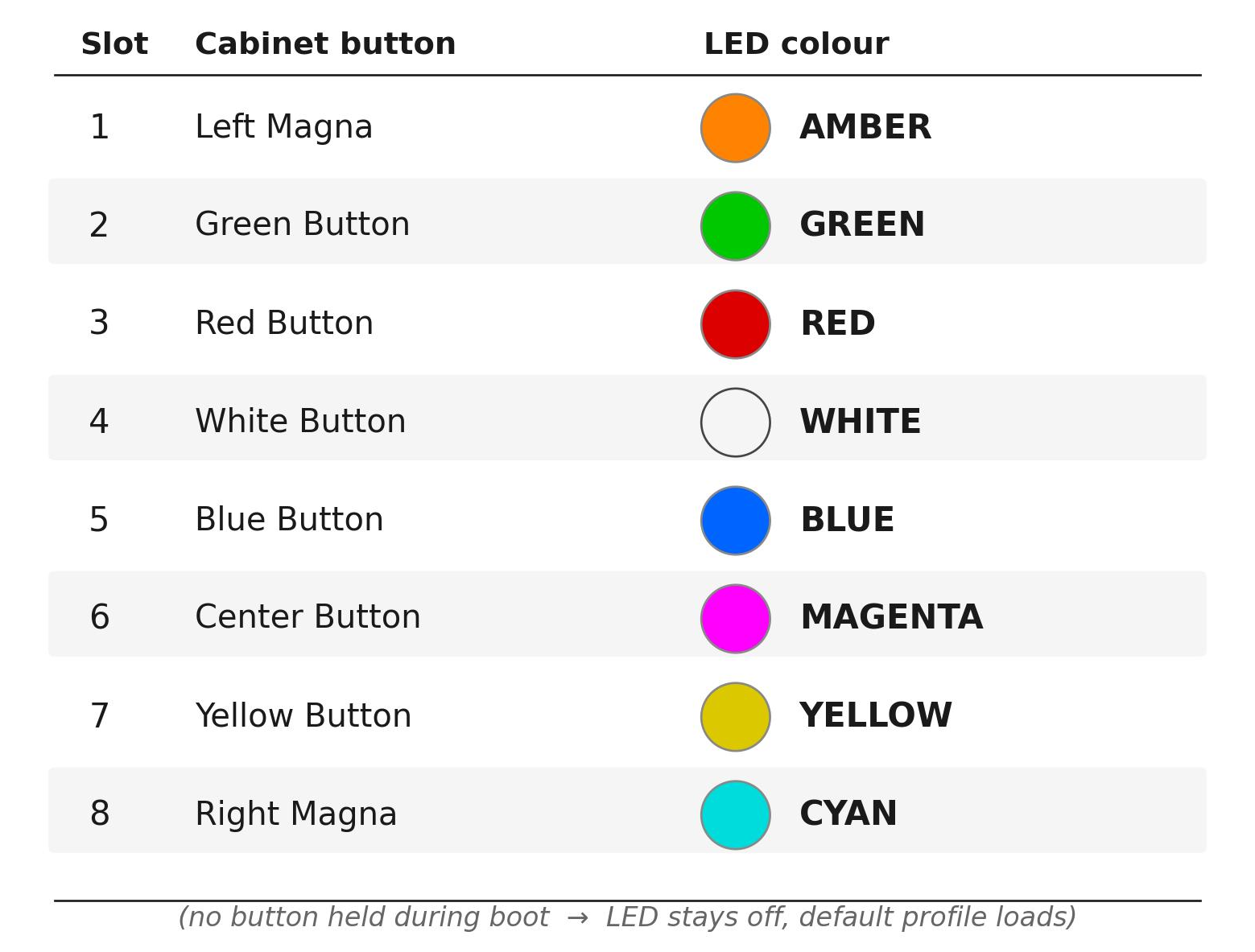
The profile you write with Program Pico (next chapters) becomes the default that loads when no button is held at boot. To load a different button-mapped profile, hold down its button while the cabinet boots — the LED then shows that profile's color against the reference card.
NOTE: The LED has eight color slots in total. The reference card shows which color corresponds to which game profile. If you change the assignment of profiles to slots, the LED reflects the NEW assignment automatically.
The interactive VirtuaTilt wiki adds a 3D model, a theme gallery and a built-in AI assistant — open the wiki.
Last updated: 2026-10-28
VirtuaTilt is designed and manufactured by 3DPTronics — see the Wireless VirtuaTilt controller. Diagnose your own cabinet with the free VirtuaTilt extension for Claude.