VirtuaTilt Wiki › How to Open the VirtuaTilt Cabinet
How to Open the VirtuaTilt Cabinet
Should you ever need physical access to the internals (for example to inspect cabling or replace a hardware component), here is the procedure.
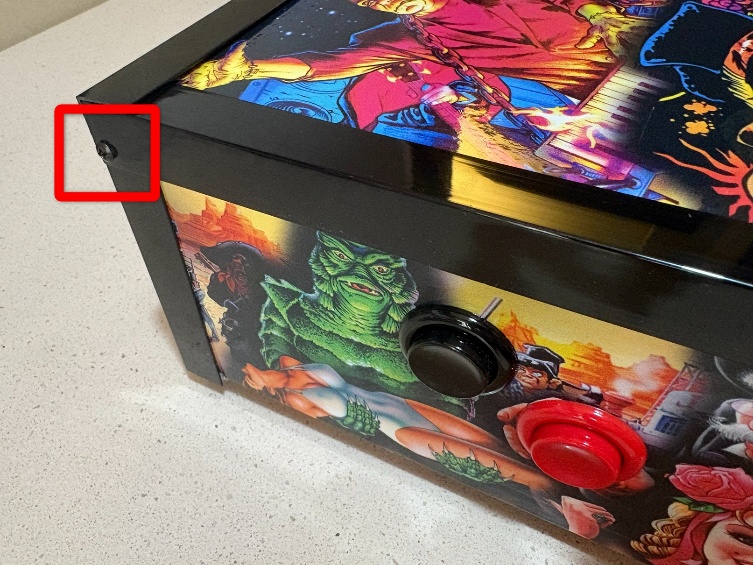
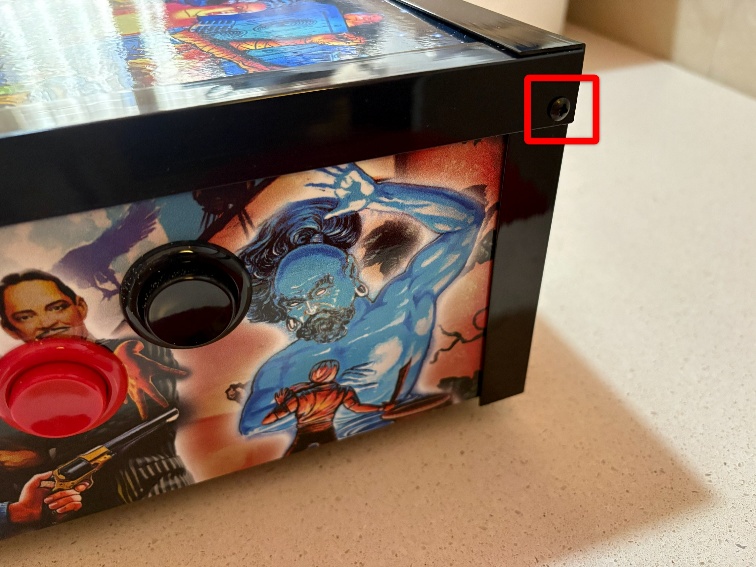
Remove side profiles screws (left and right):
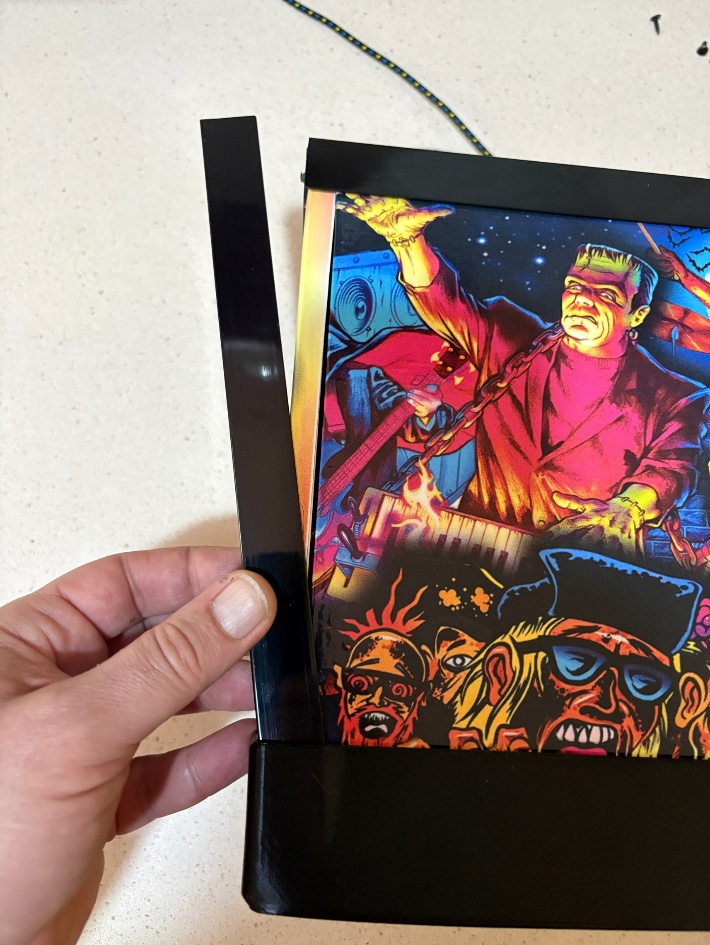
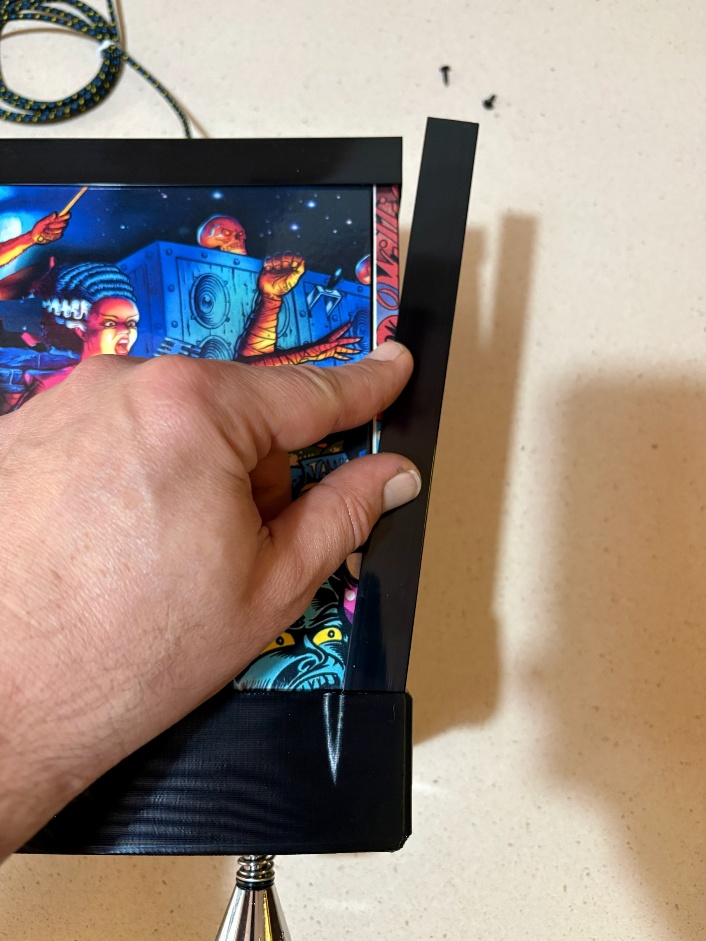
Slide-out plastic profiles (left and right):
Remove wood panels screws (left and right):
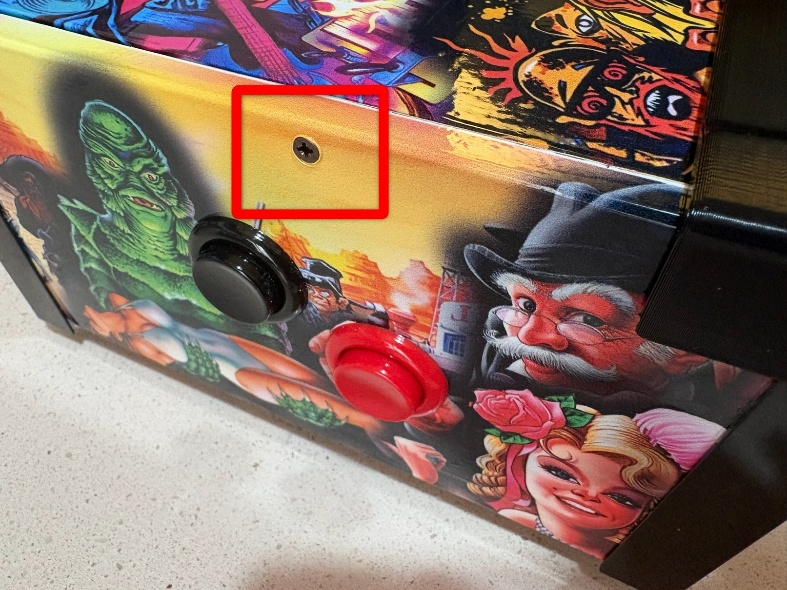
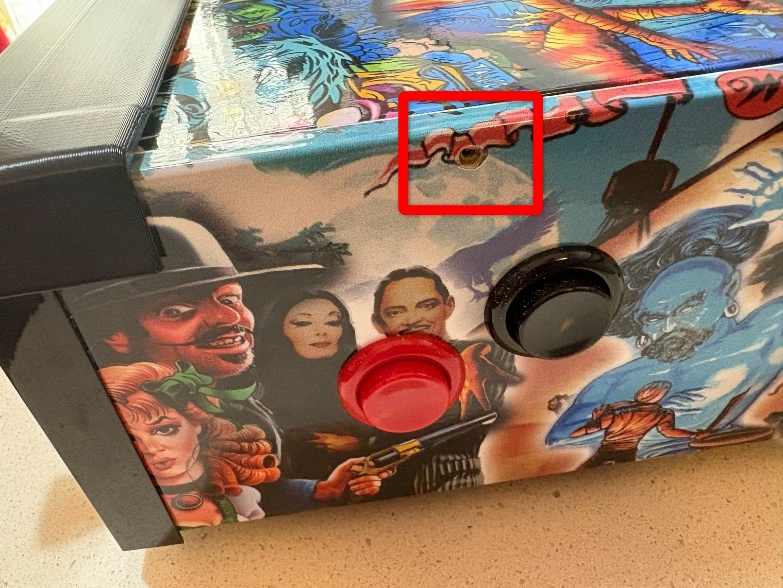
Lift-up carefully the lockbar; top-plate is attached to it:
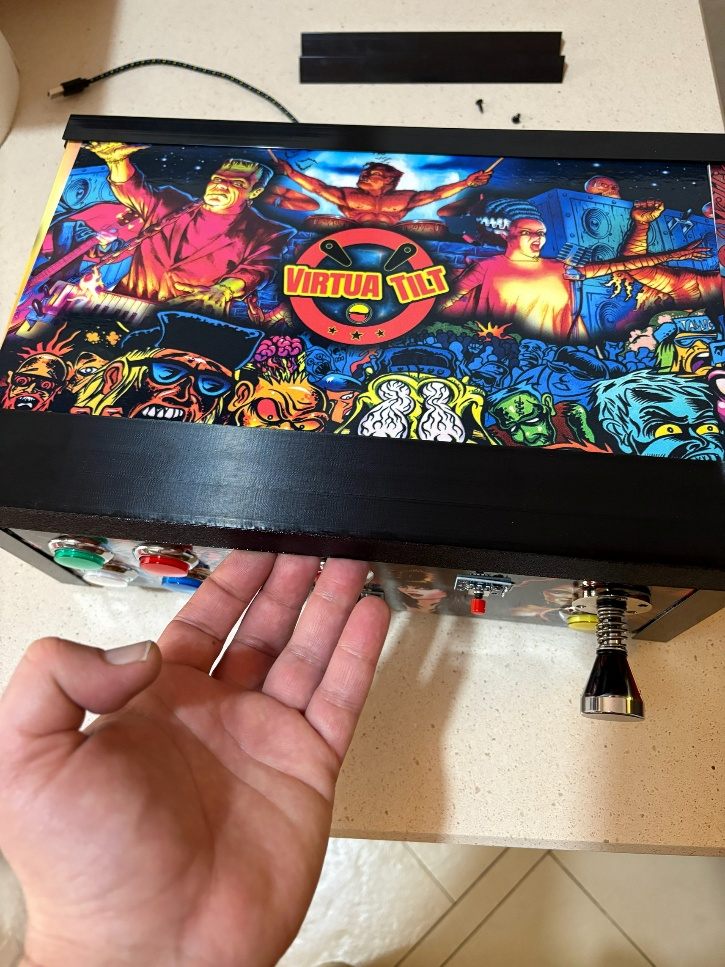
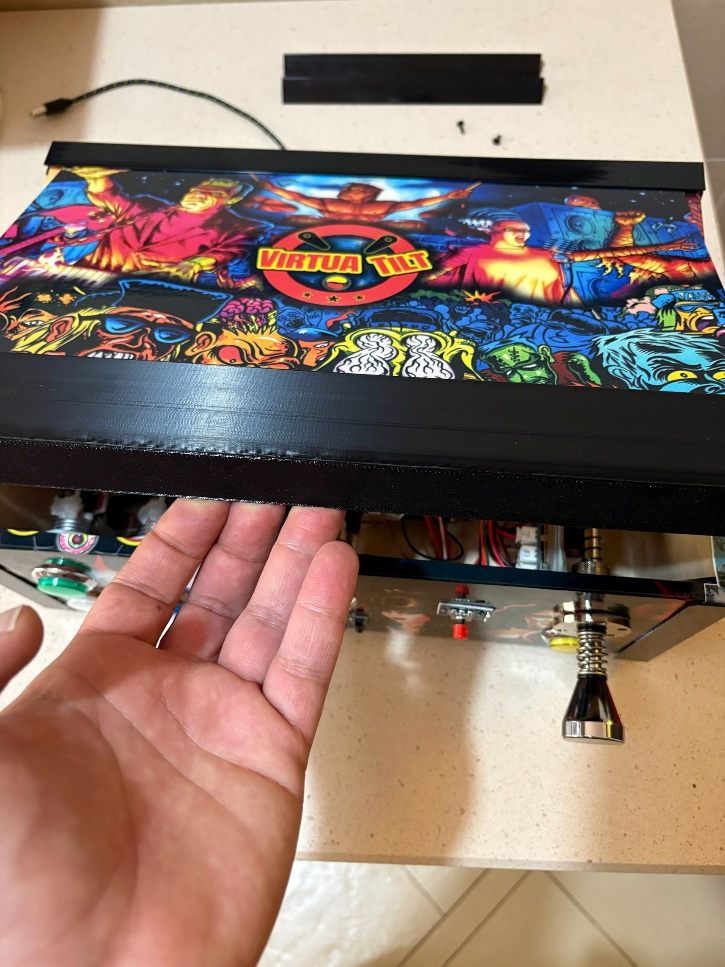
That is it. Reverse the procedure to close the cabinet.
NOTE: Do not force any part. Everything slides or lifts smoothly when properly unscrewed. If something resists, double-check that all screws are removed.
The interactive VirtuaTilt wiki adds a 3D model, a theme gallery and a built-in AI assistant — open the wiki.
Last updated: 2026-10-28
VirtuaTilt is designed and manufactured by 3DPTronics — see the Wireless VirtuaTilt controller. Diagnose your own cabinet with the free VirtuaTilt extension for Claude.