VirtuaTilt Wiki › Default Buttons Mapping (Front panel)
Default Buttons Mapping (Front panel)
VPX / Future Pinball (PC, keyboard mode) 

Pinball FX, FX3, Pinball M, Infected Mushroom Pinball, Pinball VR Classics, Star Wars Pinball VR, etc.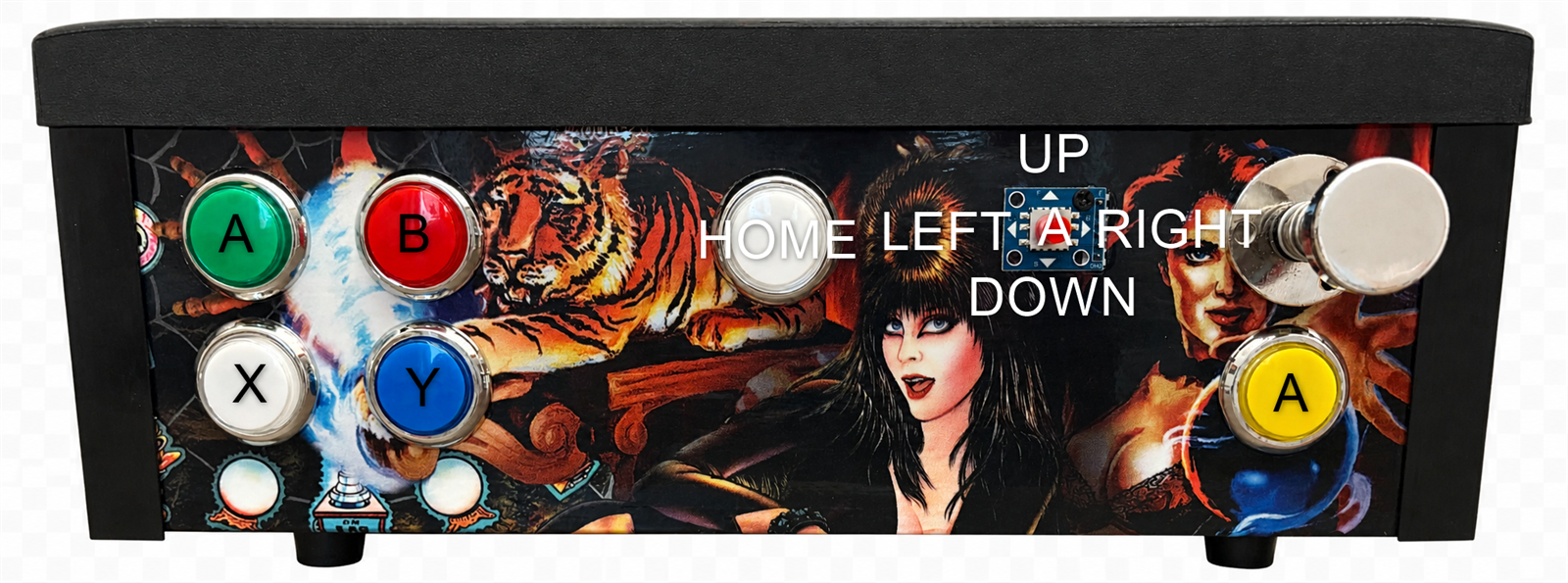 

Note: in the Steam, Pinball FX and Zaccaria profiles (VTConfig-BT-STEAM-XInput v1.3, VTConfig-BT-STEAM-Zaccaria v1.4, VTConfig-BT-STEAM-DOFLinx, VTConfig-USB-STEAM-XInput v1.2, VTConfig-USB-PinballFX v1.2, VTConfig-USB-ZaccariaPinball v1.3 and later) the Center button is START (Menu) instead of HOME: press it to pause the game and leave the table.
Note: Pinball FX VR (the Meta Quest VR title) is not part of this group — it uses its own dedicated mapping, shown next.
Pinball FX VR (Quest — XAM) 

This is Pinball FX VR's XAM map. (The XAM profile pairs to the Quest as an "XA" keyboard device, which is why it is sometimes called "keyboard mode".) Pinball FX VR 1.10 (the Judge Dredd update) gave the tables two-stage flippers: the lower and the upper flippers have separate keys. The profile sends both keys from each flipper button, so all flippers on a side move together. Pinball FX VR reads the cabinet as keyboard keys — the table below shows which button sends each key: FX VR / Meta Quest: XA = compatibility-device name; XAM = compatibility mode. These abbreviations refer only to this game.
| Key | Sent by | Function in Pinball FX VR 1.10 |
|---|---|---|
U + 5 | Left flipper button | Left lower + upper flippers |
6 + 0 | Right flipper button | Right lower + upper flippers |
8 | Yellow button | Launch ball |
I | Red button | Pause |
A | Center button; pushing the cabinet forward | Nudge up |
D | Left MagnaSave; pushing the cabinet sideways | Nudge right |
F | Right MagnaSave; pushing the cabinet sideways | Nudge left |
| — | Green button | Nothing: its old key (5) is now a flipper input |
Note: these keyboard keys are fixed by Pinball FX VR, so the keys themselves cannot be changed. What you can change is which physical VirtuaTilt button sends each key (the button→key assignment in the profile). The shipped FXVR_XAM profiles are already set up for Pinball FX VR 1.10, so most users never need to touch them. The game's "nudge down" key (S) is not used. Keep every key above mapped to a button, or that in-game function stops responding.
Pinball FX VR — Analog profile (USB)
The FXVR-Analog profile (USB) uses the gamepad layout shown above, with these differences: hold the Center button for half a second to open the game menu (HOME); launch the ball with the Yellow button or a full pull of the plunger; Pinball FX VR does not use the joystick, so choose the table and use the menus with the Quest controllers.
Visual Pinball X without DOF (VPX-NODOF)
VTConfig-USB-VPX-NODOF sends every control as a gamepad button. Assign them in VPX → Preferences → Keys:
| Control | Gamepad button | Control | Gamepad button |
|---|---|---|---|
| Joystick right | 1 | Right flipper | 9 |
| Joystick left | 2 | Blue | 10 |
| Joystick down | 3 | White (bottom-left) | 11 |
| Joystick up | 4 | Center | 12 |
| Joystick press | 5 | Red | 13 |
| Left MagnaSave | 6 | Green | 14 |
| Left flipper | 7 | Yellow | 15 |
| Right MagnaSave | 8 |
Buttons Testing
You can use the GUIConfigTool Buttons tab to confirm that every cabinet button fires correctly, before you start a Bluetooth session:
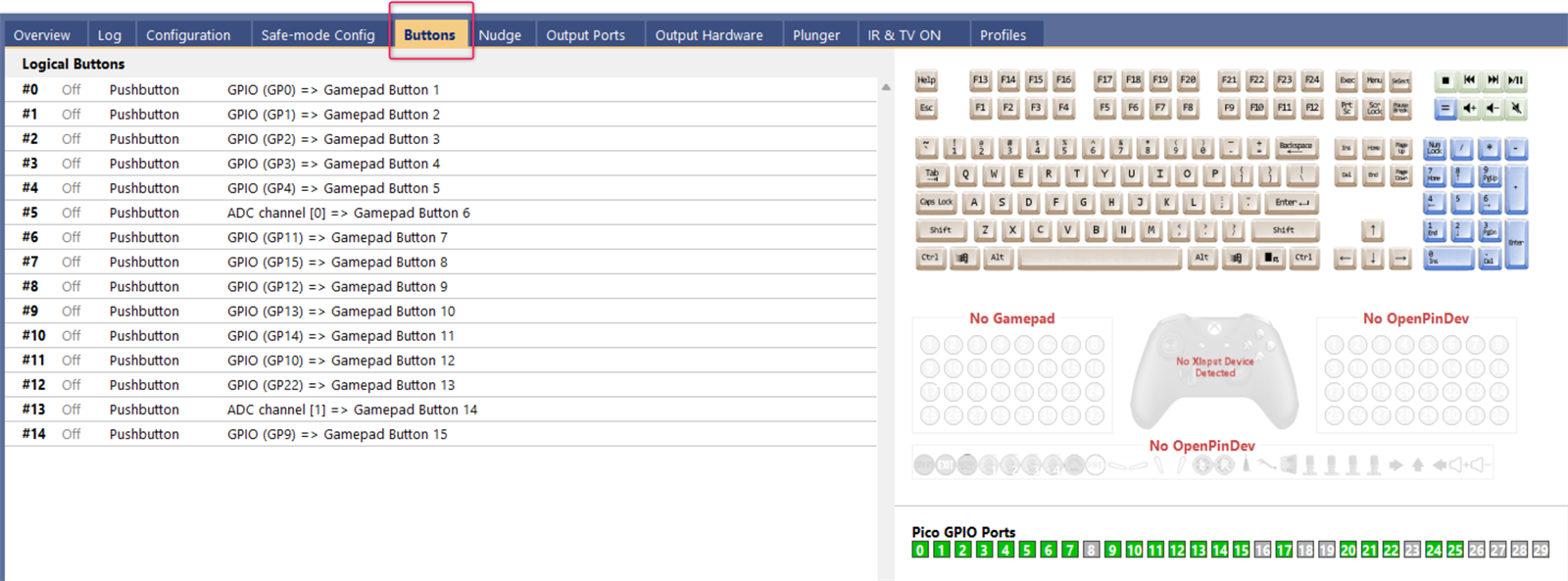
For details on the button tester: http://mjrnet.org/pinscape/PinscapePico/Help/ButtonTester.htm
The interactive VirtuaTilt wiki adds a 3D model, a theme gallery and a built-in AI assistant — open the wiki.
Last updated: 2026-10-28
VirtuaTilt is designed and manufactured by 3DPTronics — see the Wireless VirtuaTilt controller. Diagnose your own cabinet with the free VirtuaTilt extension for Claude.